
AI ChatBot Assistant - Cuda AI
AlfinardimenBusiness
4.286.00 Reviews
- Version
- 1.0.7
- Installs
- 100.00K
- Age Rating
- Everyone
Screenshots
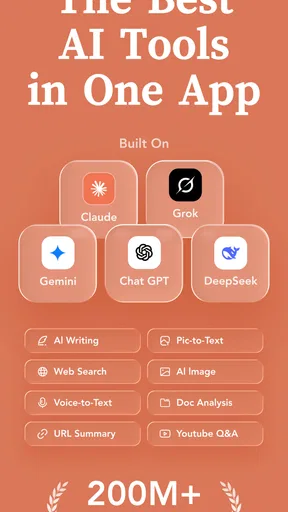
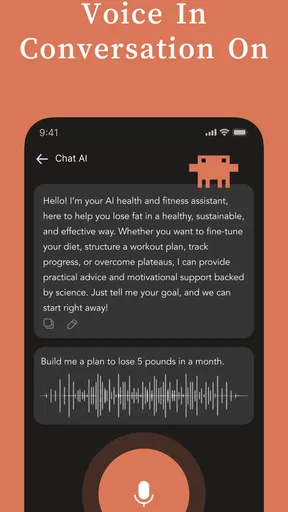
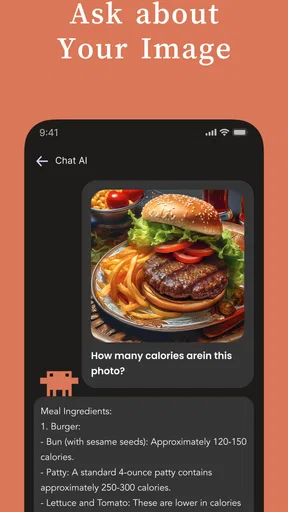
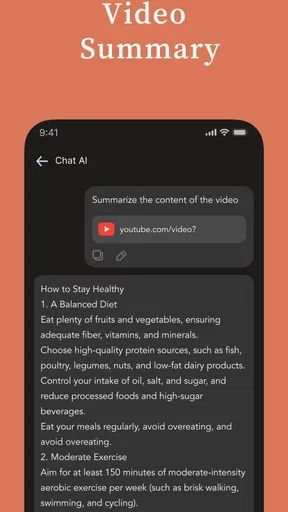

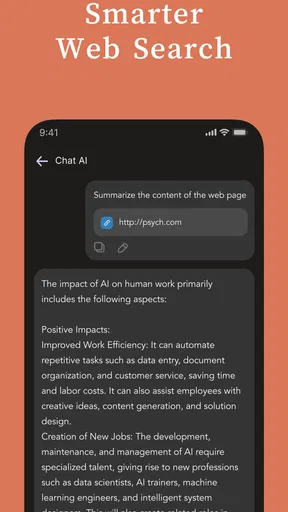
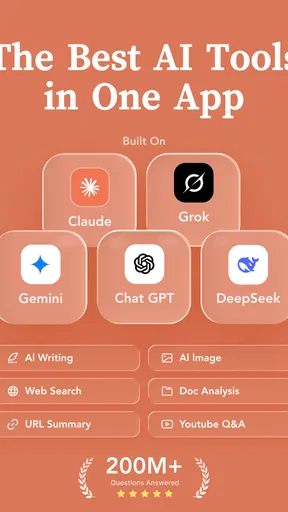
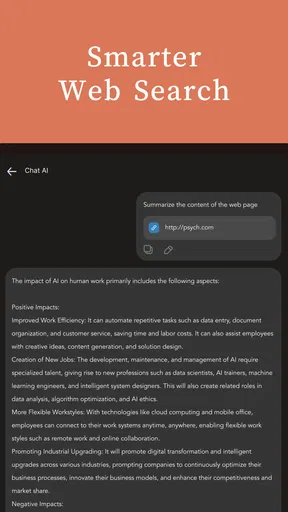
Our Review of AI ChatBot Assistant - Cuda AI
 Analysis by Appyee
When I need help turning a rough idea into something usable, I usually want more than a blank chat box. I want to explain the situation, shape the answer, rewrite it for a particular person, and leave with text I can actually use. That is the role AI ChatBot Assistant - Cuda AI tries to fill: a business-focused app that gathers several AI writing and chat tasks in one place.
My first impression is that it is most useful as a practical starting point rather than a complete replacement for every business tool. The appeal is clear for someone who regularly writes emails, outlines, short announcements, product copy, notes, or customer-facing replies. Instead of opening separate writing utilities, I can keep the conversation centered on the same task and refine the result as the situation changes.
Cuda AI is free to install, although it includes optional purchases priced from $6.99 to $99.99 per item. It is suitable for Everyone, runs on Android six and later, and comes from developer Alfinardimen. Its current version is 1.0.7, and the app has reached over 100 thousand installs with a 4.2 average from around 11 thousand ratings. Those figures suggest that it has attracted a meaningful audience, but they do not remove the need to judge whether its workflow suits the way you work.
From a rough request to something I can use
I use a rough request as a chance to decide what the finished text needs to do, not just how it should sound. That distinction helps me catch missing details before I ask for a polished draft, especially when a message will be shared beyond my own device. Next, I look at how that habit changes when several people in a household may take turns using the same assistant.
Starting with the actual problem
The best way to use this assistant is to begin with the situation, not with a vague command such as “write something professional.” I get better results when I describe who will read the text, what outcome I want, what information must remain accurate, and what tone would feel natural. For example, a small business owner could explain that a delivery is delayed, the customer is already frustrated, and the reply should acknowledge the problem without promising a date that is not certain.
That opening message gives the conversation a useful direction. Cuda AI can then help produce a first response, but the important work is not finished there. I would check whether the wording sounds like something I would actually send, remove unnecessary apologies, and ask for a shorter version if the original feels too formal. This is where a chatbot is more convenient than a traditional template library: I can react to the draft instead of starting over.
For business writing, context is more valuable than decoration. I would include the facts that cannot change, such as an order reference, a confirmed policy, or a deadline, while leaving out private information that the task does not need. That habit improves the usefulness of the answer and reduces the chance of accidentally turning an invented detail into a real commitment.
A workflow that works in small steps
I prefer treating the conversation as a sequence of handoffs. First comes the brief: what happened and what needs to be produced. Next comes the draft. After that, I ask for an adjustment such as “make this warmer,” “keep the apology but remove the blame,” or “turn this into three bullet points for an internal update.” Finally, I perform the human check before copying anything into email, a document, or a customer system.
This step-by-step approach is more reliable than asking for a perfect answer in one message. It also exposes weak assumptions early. If the assistant misunderstands the audience, I can correct that before polishing the wording. If the answer sounds confident about a fact I never supplied, I can remove or verify it rather than treating fluent language as proof.
One useful technique is to separate content from presentation. I might first ask for a clear explanation of a service change, then request a version for a customer email, a shorter version for a team chat, and a set of talking points for a phone call. The underlying message stays consistent while the format changes. That makes the app more useful for a small team where one decision has to travel through several channels.
Moving the result into everyday work
The handoff from Cuda AI to the rest of my workflow is where I would slow down. A generated answer is not automatically a finished business asset. I would copy the useful section into the app where it belongs, compare names and numbers with the original source, and make sure the tone fits the relationship. This extra check matters especially for invoices, complaints, hiring messages, or anything that could create a legal or financial expectation.
For a realistic morning scenario, imagine that I run a small online shop and have three tasks waiting. A customer needs a response about a late parcel, a supplier needs a concise follow-up, and I need a short internal note explaining what changed. I could describe each situation separately, ask for a draft, then request a shorter or more neutral version. The benefit is not that the assistant magically completes the business process; it is that it reduces the time spent finding the first clear wording.
The three outputs should not be identical. A customer needs empathy and a concrete next step. A supplier needs a direct request and the relevant reference. An internal note needs facts, ownership, and an action. Asking for each handoff separately helps prevent the common mistake of sending an internal explanation to an external audience.
Where it saves time, and where it does not
Compared with writing from scratch, the main advantage is momentum. When I know what I mean but cannot find a clean opening, a conversational assistant can give me something to edit. Compared with a fixed template app, it is more flexible when the situation is unusual or when the same information needs several tones. Compared with a full office suite, it is lighter and more focused on the language itself rather than documents, spreadsheets, calendars, or team permissions.
That comparison also reveals its limits. If I need a shared approval process, version history, structured customer records, or a dependable knowledge base, a dedicated business platform is the better choice. Cuda AI can help prepare the wording that enters those systems, but it should not be mistaken for the system of record. I would use it beside those tools, not as a substitute for them.
The app is particularly appealing to freelancers, students handling professional communication, independent sellers, and small teams without a dedicated copywriter. It can also help someone who speaks confidently about their work but struggles to adjust tone for different audiences. The value is strongest when the task is language-heavy and the facts are already available from the user.
Small techniques that improve the output
I found that a good request should include a “do not change” boundary. For example, I would say that the refund policy must remain exactly as written, while the surrounding explanation can be made friendlier. This tells the assistant which part is open to editing and which part needs careful preservation.
A second useful technique is asking for alternatives with a reason for each one. Instead of requesting five random versions, I would ask for one concise, one warm, and one firm option, followed by a brief note explaining the trade-off. That makes choosing easier and helps me learn which wording fits the situation rather than flooding me with near-duplicates.
A third technique is using the assistant as an editor after I write the first draft. My own draft contains the facts and personal voice; the app can help improve structure, remove repetition, or identify sentences that may sound abrupt. This is often safer than asking it to invent the entire message, because I remain responsible for the substance from the beginning.
I would also keep separate conversations for unrelated projects instead of mixing a customer complaint with a marketing idea or a private note. Clear separation makes follow-up instructions easier to understand. When a conversation becomes long, restating the key facts in a compact brief can be more effective than assuming every earlier detail will remain equally important.
The friction I would expect during use
The first point of friction is the gap between fluent text and dependable information. Cuda AI can make a sentence sound finished even when the underlying detail needs checking. I would never send a generated answer unchanged when it contains a promise, a price, a delivery expectation, a policy interpretation, or a claim about a person or company.
The second is editing fatigue. A long answer may appear helpful but still require trimming before it is suitable for a real message. In business communication, shorter is often better, yet a chatbot may explain more than the recipient needs. Asking for a word limit, a specific structure, or only the final message can reduce that cleanup.
The third is the cost boundary. Although the app is free to install, optional purchases can become relevant for people who use AI assistance heavily. I would start with ordinary tasks and understand what is available without payment before building a daily workflow around it. Someone who needs predictable, high-volume usage should compare the total cost with other writing services rather than choosing based only on the free installation.
There is also a practical privacy question whenever work material is placed into an AI conversation. I would avoid entering passwords, payment details, confidential customer information, private employee records, or anything that does not need to be included. For sensitive work, a company-approved service with clearly defined controls may be more appropriate than a general-purpose assistant.
Who should use it and who should skip it
I would recommend Cuda AI to someone who wants a flexible writing partner for everyday business communication and is comfortable reviewing the result. It is a good fit when the starting condition is a blank page, a messy set of notes, or a message that needs several versions. It is also useful when one person must switch quickly between customer-friendly, concise, formal, and internal styles.
I would be more cautious about recommending it to a user who expects automatic accuracy, hands-off publishing, or a full business management environment. It is not the right choice for someone who wants generated text to be trusted without checking, or for a team whose main need is collaboration, approvals, and controlled document storage. In those cases, a specialized business application should handle the workflow, with an AI assistant used only where its language support adds value.
The Everyone age rating makes the app broadly approachable, but that should not be confused with suitability for every kind of content. Adults remain responsible for deciding what information to enter and how generated text is used. For younger users, I would especially encourage review by a parent, teacher, or responsible adult when the task involves personal details or formal communication.
My result after following the full workflow
After moving from a clear brief to a draft, then through audience-specific rewrites and a final fact check, I see Cuda AI as a productivity aid rather than an automatic business operator. Its strongest result is the reduction of hesitation: I can get from “I need to say this” to a workable version, then spend my time judging the message instead of wrestling with the first sentence.
The app’s multi-purpose design is convenient, but convenience does not remove the need for a process. The best outcome comes when I provide the facts, request a focused format, challenge unclear wording, and verify the final text before handing it to a customer or colleague. Used that way, it can support real work without taking responsibility away from the person using it.
In my view, the free entry point makes it reasonable to try for short writing tasks, while the in-app purchase range means frequent users should pay attention to how their usage develops. The 4.2 average and audience of over 100 thousand installs show solid interest, but my recommendation is based more on fit than popularity: if you want a conversational tool for drafting and reshaping business text, it is worth exploring.
My final advice is simple: start with one low-risk workflow, such as rewriting an internal announcement or organizing meeting notes. Give the assistant a precise brief, ask for two or three purposeful versions, and check every factual statement yourself. If that process saves time without creating extra correction work, Cuda AI may earn a place in your routine. If your priority is secure records, team approvals, or automated business actions, choose a dedicated platform instead and keep this app in the narrower role where it performs best.
Verdict
Strengths of AI ChatBot Assistant - Cuda AI
- Supports natural-language conversations for quick questions and everyday assistance.
- Can help draft messages, emails, summaries, and other written content.
- Useful for brainstorming ideas, planning tasks, and organizing information.
- Simple chat-based interface is easy for beginners to understand.
- Available on mobile, making AI assistance convenient while traveling or away from a computer.
Limitations of AI ChatBot Assistant - Cuda AI
- AI responses may occasionally contain inaccurate or outdated information.
- Advanced features may require a subscription or include usage limitations.
- Privacy terms should be checked before sharing personal or confidential details.
- Response quality can vary depending on the prompt and conversation context.
- An internet connection may be required for most chatbot functions.
Similar Picks in This Category
View All
LinkedIn: Community & Network
LinkedIn3.8

Zoom Workplace
zoom.com4.1

Microsoft Teams
Microsoft Corporation4.6

Meta Business Suite
Meta Platforms, Inc.4.6

Webex Meetings
Cisco Systems, Inc.4.5

TeamViewer Remote Control
TeamViewer4.4
Frequently Asked Questions
What is AI ChatBot Assistant – Cuda AI and what can it do?
AI ChatBot Assistant – Cuda AI is designed to provide conversational help through artificial intelligence. It can assist with questions, brainstorming, writing, rewriting, summaries, translations, study support, and everyday planning. Its usefulness depends on the quality of your prompt and the information available to the underlying AI, so responses should be treated as helpful suggestions rather than guaranteed expert advice.
Is Cuda AI free to download and use?
The application may be available to download at no initial cost, but some features can require a subscription, in-app purchase, usage credits, or access to a premium plan. Before relying on the service, check the current pricing page and the store listing for trial conditions, renewal terms, and available limits. Prices and included features may vary between Android and iOS.
Does AI ChatBot Assistant – Cuda AI require an internet connection?
Most AI chatbot functions require an active internet connection because requests are generally processed through online servers rather than entirely on the phone. Without reliable Wi-Fi or mobile data, responses may be delayed or unavailable. Connection quality can also affect loading times, and mobile-data users should be aware that frequent conversations, file uploads, or image-related features may consume additional data.
Can I trust Cuda AI with personal or confidential information?
You should avoid entering passwords, financial details, private identification documents, confidential work material, or sensitive personal information unless you have carefully reviewed the app’s privacy policy and understand how data is handled. AI conversations may be stored or processed by third-party services, and generated answers can contain mistakes. Use the app as an assistant, not as a secure vault or professional authority.
Is Cuda AI suitable for school, work, or professional decisions?
Cuda AI can be useful for generating ideas, organizing notes, explaining general topics, drafting text, and improving productivity. However, it should not replace your own judgment, teacher, doctor, lawyer, financial adviser, or other qualified professional. Always verify important facts, citations, calculations, and recommendations before submitting AI-assisted work or making decisions based on a generated response.
